How to Email Multiple Recipients Using Cc and Bcc

See the source image

Contents

  • Multiple Cc and Bcc Email Recipients
  • How to Locate and Open Cc and Bcc Fields
  • How to Use Cc
  • Flaws of Cc’s
  • How to Use Bcc
  • Add Bcc Recipients

Multiple Cc and Bcc Email Recipients

Every email program’s new email screen has a To field for the recipient’s name or email address. Many outgoing email screens include a Cc and Bcc field. Your email provider has Cc and Bcc fields, whether you see them or not. You may need to search for and display them.

You can type as many email addresses as you want after the fields appear at the top of your email. Your email is sent to the recipients listed in the Cc and Bcc fields, as well as the To field.

How to Locate and Open Cc and Bcc Fields

You must look for the Cc and Bcc fields. Once activated, the fields may (or may not) stay in place for each new email you send.

For example, in Gmail, select Cc or Bcc (or both) in the upper right.

You can’t look everywhere. The fields are available in the Options section of Outlook and the View tab of Safari.

How to Use Cc

Cc means Carbon copy. It is used to send the same letter to two people without writing or typing it twice.

When a Cc field is used, the recipient of the message is copied. It keeps people informed even if they aren’t the focus of the message.

In the Cc field, you can add multiple email addresses to receive a copy of the email.

Flaws of Cc’s

Sending email carbon copies has some drawbacks. Using the Cc field makes the email addresses of the original and carbon copy recipients public, which some people may not like.

Plus, crowded Cc fields are ugly. Long and occupying screen space. Worse, when someone replies to you, they reply to everyone in the Cc field.

How to Use Bcc

Bcc means Blind carbon copy. This field hides email addresses. Only the sender can see the Bcc recipients. Put your email address in the To field and use Bcc for recipients.

People in the Bcc field don’t get replies from To or Cc recipients, which is handy if you don’t want to spam everyone’s inbox.

Also useful when sending a newsletter or message to unknown recipients.

Add Bcc Recipients

Each email program and operating system has its own method for adding Bcc recipients. This guide covers Windows, macOS, and popular email programs.

Add Bcc Recipients in Windows (AOL and Outlook Mail)

To Bcc recipients in AOL, select Compose, then Bcc in the To field. The Bcc field appears below the To field. Fill in the Bcc field.

Open a new email in Outlook and select Options. Then select Show Fields (three vertical dots) > Bcc.

Add Bcc Recipients in macOS  

Open a new email window and select View to add Bcc recipients. Fill in the Bcc Address field.

Add Bcc Recipients to iOS Mail

When using iOS Mail, expand the Cc/Bcc, From field by tapping the Compose icon. Tap the Bcc field to add recipients.

Add Bcc Recipients in Gmail, Outlook.com, and Yahoo Mail

To add Bcc recipients in Gmail, select Compose. On mobile devices, select the down arrow or Bcc on the desktop. Fill in the Bcc field.

In Outlook.com, select New Message, then Bcc in the From field. Fill in the Bcc field.

Compose a new message and type CC/BCC in the TO field of Yahoo Mail to add Bcc recipients. Fill in the BCC field.

How to Email a Text Message

See the source image

Would you like to send a text message without using your phone?

  • How to Send a Text Message via Email
  • Locate the Carrier and Gateway Address
  • What Is the Distinction Between SMS & MMS?
  • Text Messages Delivered to Your Email
  • Practical Reasons for Emailing Text Messages
  • Other Modes of Communication

How to Send a Text Message via Email

To send a text message via email, use your recipient’s carrier’s MMS or SMS gateway, specifying their cellphone number as the address. For instance, if the recipient’s phone number is (212) 555-5555 and his or her carrier is Verizon, the email should be addressed to [email protected]. The text in the body of your email appears as a text message on the recipient’s phone or other mobile device.

To email a text message, you will need the following:

  • The recipient’s contact information.
  • The recipient’s mobile service provider (AT&T or Verizon, for example).
  • The MMS or SMS gateway address for the carrier.

Locate the Carrier and Gateway Address

If you are unsure of your intended recipient’s carrier, you can use a website such as freecarrierlookup.com or freesmsgateway.info to find out. You can search for the service provider and SMS/MMS gateway addresses by entering the recipient’s phone number.

Consult a list of SMS and MMS gateway addresses if you know the recipient’s carrier name. The details of the gateway are critical. These are used in the same way as email addresses are to construct your recipient’s address.

What Is the Distinction Between SMS & MMS?

When it comes to texting, carriers offer two distinct types of messaging:

  • SMS stands for Short Message Service.
  • MMS is an abbreviation for Multimedia Messaging Service.

The maximum length of an SMS message is 160 characters for the majority of providers. MMS is used to send messages that exceed 160 characters in length and messages that include images or other content that is not plain text.

Certain providers may require you to send text messages longer than 160 characters via the MMS gateway address. Many providers, on the other hand, handle the distinction internally and divide texts appropriately on the recipient’s side. If you send a 500-character SMS, there is a good chance that your message will be received in its entirety, though it may be broken up into 160-character chunks. If this is not possible, divide your message into multiple emails prior to sending.

Text Messages Delivered to Your Email

If a recipient responds to a text message you sent, you will typically receive the response via email. Examine your junk or spam folders, as these responses are more likely to be blocked or filtered than traditional email. As with sending messages via email, carrier behavior varies when it comes to receiving responses.

Practical Reasons for Emailing Text Messages

There are several reasons why you might want to send or receive text messages via email. Perhaps your SMS or data plan has reached its monthly cap. Perhaps you’ve misplaced your phone and require an urgent text. If you’re seated in front of your laptop, typing on a larger device may be more convenient. Due to the fact that text conversations are archived in your email, you can free up space on your mobile device while still retaining critical messages for future reference.

Other Modes of Communication

Additionally, text messages can be sent from a computer via the Apple Messages app or Facebook Messenger. There are also lesser-known alternatives, but exercise caution when communicating with an unknown third party about potentially sensitive content.

The Various Components of an Email

See the source image

Contents

  • A catchy subject line
  • Greeting
  • A first sentence that will capture attention
  • Body
  • Conclusion
  1. A catchy subject line

Your subject line is vital, despite its small size. If you get it wrong, your email may go unread and straight to the trash. Worse, make it too promotional and you risk being marked as spam right away.

Creating compelling email subject lines is an art, even if it only takes a few words (and maybe an emoji). Short, specific, and direct subject lines work best. But don’t be fooled, there’s a lot to say with limited words.

If it’s your first email to the recipient, the subject line is crucial. When done correctly, it can act as an introduction. It can help you introduce not only the email’s content, but also your brand. So, don’t mislead your readers with words like “urgent,” especially in marketing emails. Clickbait subject lines often have the opposite effect, harming both open rates and brand identity. Avoid using capital letters, as this may agitate your target audience before they even open the email.

  1. Greeting

A compelling subject line does not replace a suitable greeting. Context will play a role in crafting your greeting. Use “Dear” or “To Whom It May Concern” for formal emails (albeit boring and unimaginative). For more casual emails, use “Hey” or “Hi”.

  1. A first sentence that will capture attention

Like your subject line, your email’s opening line is important. If this step is done correctly, the recipient is more likely to read the email to the end. Whatever you do, don’t make it seem like you’re sending the same old email to your entire email chain.

To write an engaging first sentence, do your homework. What will your target audience enjoy? What content do they share frequently on social media?

  1. Body

The body of your email should be short and sweet. Not only should your emails be concise, but they should also be easy to read. Use short sentences and paragraphs, and use bullets whenever possible.

You should have one main point or idea with a call to action. Every sentence in this section of your email should help you communicate this main point.

  1. The Closing

While you can be more creative with your subject line and opening sentence, it’s best to play it safe with your conclusion. Simple closings like “best wishes” or “warm wishes” are often the most effective.

Create a professional email signature. After all, you’ve worked hard to perfect the other elements, so don’t let your email signature let you down. With an email signature, you can add more valuable information without sending long emails.

If you don’t have an email signature yet (or just want to fill in the gaps), you can use our free email signature generator. We designed it because we know you’re busy building your brand and reading our blog.

5 big ideas to increase sales

See the source image

Before the pandemic, customers shopped in odd patterns, and their choices were not evenly distributed among retailers.

That hasn’t changed much, so you need to do more to attract new customers.

Everywhere there is competition for customers. What are you doing? Opening your doors isn’t enough; you need a retail calendar of events.

  • Retrain your team
  • Plan Events and Promotions
  • Create ‘never out’ list
  • Competitive return policies
  • Offer gift cards for sale

Retrain your team

You can’t do it all alone; you need a strong team. Hold product training sessions and provide excellent customer service when you can’t see the customer.

Keep your team informed about store events and commit to a year-round training schedule. Adopt a ‘buddy system’ and pair new hires with seasoned pros to mentor them.

Plan Events and Promotions

A grand re-opening is as good as a ‘re-open’ open house. Consider and plan for the holidays. You need a plan if you sell online or via social media. Continue to add events for each month.

Plan each event, buy items as needed, and involve your staff. Remember that in-store events do not necessitate a sale, though it is an option. Demos, seminars, trunk shows, pop-ups, supplier days, etc.

Create ‘never out’ list

Always have a ‘Never Out’ list of items in stock. It’s important to note that during peak seasons, stock runs out and these items can literally make or break a sale.

However, make sure to do frequent stock counts on the sales floor to ensure your list is accurate.

Competitive return policies

Customers will shop elsewhere if your competitors accept returns and exchanges but you do not. If you don’t have one, start here: ‘X’ days for returns and exchanges. Your receipt ensures it.

Train staff to politely suggest an exchange or gift card before issuing a refund. During the pandemic, many stores extended return windows.

Offer gift cards for sale

Your secret weapons are gift cards. Yes, they are GIFT CARDS. That’s because a study found that retailers who switch from paper to plastic gift certificates increase card sales by 35% to 50%.

Additionally, 55% of gift card recipients make multiple shopping trips to spend the card’s balance – which is excellent news.

However, be aware that a gift card or certificate presented in a dull paper sleeve or envelope does not look impressive, even if it is for a large sum of money; therefore, package your gift cards in a way that is unique to what you sell.

Offer electronic gift cards as well, as many shoppers prefer contactless transactions these days.

What to note about Google Remarketing

See the source image

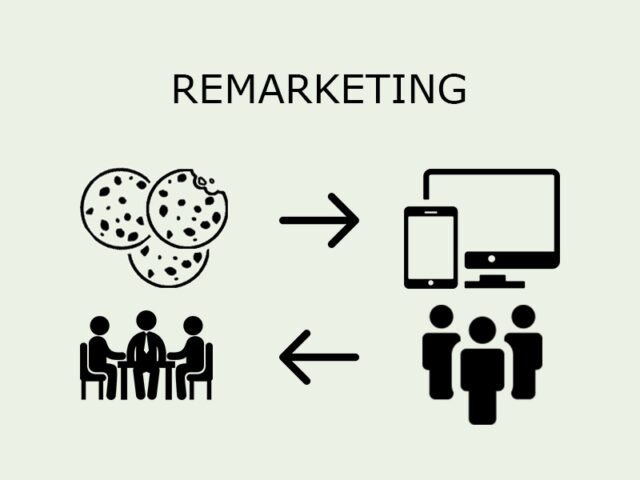
Remarketing is when a company sends you ads or emails after you visit their site but don’t buy.

But not everyone who visits your site leaves because they don’t like what you have to offer. Maybe they’re debating, unsure if they want to spend the money, or ran out of time to shop.

If you use remarketing, you can reach out to past visitors and offer them a targeted incentive.

  • How does remarketing works?
  • How to use Google remarketing?
  • What are the benefits of Google remarketing?

How does remarketing works?

See the source image

A person visiting your site is interested in your product or service. Remarketing reminds them of their needs or desires. Here’s how to use remarketing to boost your brand’s visibility online:

    • It lets you personalize rewards
    • Remarketing saves money
    • It Drives Results
  1. It lets you personalize rewards

When you promote your brand or products, you can remarket to prospects at any stage.

Then you can re-engage them by highlighting a service you offer. It’s possible to send a promo code or free shipping offer to a potential customer who adds an item to their cart but doesn’t check out.

  1. Remarketing saves money

Google remarketing ads with retargeting campaigns cost much less than traditional paid advertisements and can be very cost effective for online advertisers.

Google Display Network is a popular remarketing platform. An ad there costs around $2.28 to reach 1,000 people according to a 2018 study. A similar number of people can be reached for $35.09 via Google’s search result pages.

That saves remarketers over $32 per 1,000 views.

  1. It Drives Results

According to one study, 75% of consumers noticed they were being retargeted.

But more importantly, they work. The average click-through rate for a Google search ad is 0.07 percent, while retargeted ads are 0.7 percent. Users who click through are 70% more likely to convert into customers.

How to use Google remarketing?

A Google Ads account is required to start a Google remarketing campaign. AdWords can also be used, but the steps are different. (Google AdWords remarketing is the engine’s new marketing tool, Google Ads.)

Assign a tag to each page of your site. It’ll then start collecting data on your visitors.

You can use a Google remarketing tag to collect data on user actions such as mailing list signups or product searches. This data can then be used to build lists for remarketing campaigns.

Setting remarketing goals that match your marketing strategy is critical. If you want to send free shipping offers to people who leave their carts full, you can create an audience for that. You can then create an ad to highlight your offer and target the right audience.

What are the benefits of Google remarketing?

See the source image

Remarketing isn’t just Google’s domain. Facebook, which uses a retargeting system similar to Google’s, is its closest competitor. Your website’s tag sends user data to Facebook, where your ads appear in news feeds. Benefits of Google remarketing:

    • Its reach is broader
    • It’s more customizable
    • Track ad performance and refine customization with Google Analytics
    • You can design your own ad
    • The ad-creation tool is simple
    • Branding is free
  1. Its reach is broader

Facebook can help businesses that rely on social capital, but its remarketing potential is limited. Unless your users are on the platform, your ads will not be seen.

The Google Display Network reaches 90% of internet users and over 2 million websites worldwide. Comparatively, less than 27% of internet users use Facebook.

  1. It’s more customizable

Customize your remarketing campaign with the Google Display Network. For example, if the abandoned cart shopper wants baby clothes, you could target parents with young children.

  1. Track ad performance and refine customization with Google Analytics

If you have Google Analytics, you can track your Google Ads campaign and see how effective remarketing is. If some perform well, you can invest more in them and save money on others.

  1. You can design your own ad

Google lets you choose your ad graphics and content, so you can maintain your brand voice and image. This flexibility allows you to customize the look of your marketing campaigns, both individually and collectively.

  1. The ad-creation tool is simple

Google’s Ad Builder lets you:

  • Ad layout, color scheme, and content
  • Use your own photos or free stock photos
  • Create and update ads in seconds.

Even if you’re not a designer and can’t afford one, you can create custom ads for your remarketing campaigns. This is essential if you send multiple messages to a single user and don’t want them to see duplicate ads.

  1. Branding is free

Remarketing increases brand recall and recognition. It reminds them of the products or services they wanted to buy. Those viewers will be more likely to recall your brand when they have a need or desire.

You only pay when a user clicks, so the publicity is free.

7 Instagram Story Game Ideas to Increase Your Engagement

See the source image

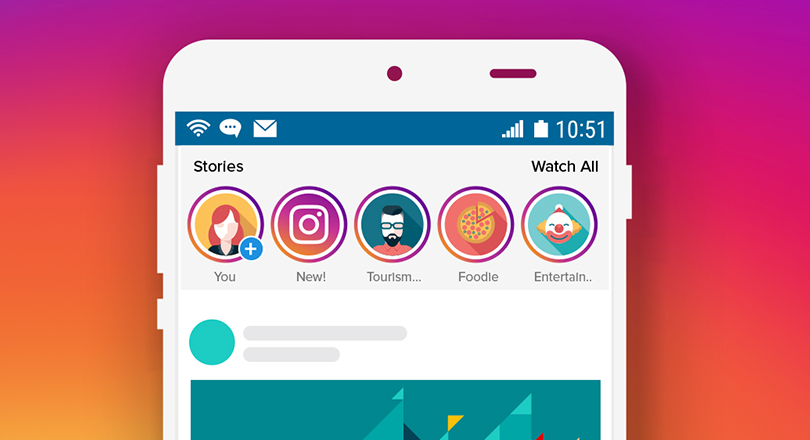
Instagram Stories are a fun way to share information like daily updates or upcoming product launches. You can create and consume them quickly, and they are a great way to engage your followers. Instagram Stories has over 500 million daily users and has become a vital tool for digital marketing.

Instagram Stories has endless engagement potential. Also, Instagram Stories is full of exciting features that go beyond beautiful graphics and inspirational quotes.

We previously discussed creative ways to spice up your Instagram Stories and engage your followers. This post is about Instagram Story Games. Games not only get people’s attention and increase engagement, but they also help you spread the word by tagging their friends.

Check out these Instagram Story Game Ideas to engage your audience.

  • Use “Would You Rather” to Make Ridiculous Choices
  • Experiment with Instagram AR Filters
  • Best GIF Challenges Ever
  • Pull Up the Emoji Keyboard with the Emoji Challenge
  • Educate your audience with a round of “True or False”
  • Make Product Polls to Find Out What People Like
  • Slide to the Left or Right with Emoji Sliders
  1. Use “Would You Rather” to Make Ridiculous Choices

Would You Rather is a popular Instagram Story game that can be both funny and challenging.

Would You Rather asks random questions or questions based on categories like ‘travel edition’ or ‘home décor’. Each question has two options, which players can circle or mark with an emoji or an animated IG Story sticker.

Would You Rather is a fun game that can go viral quickly. Your followers can participate by tagging their friends and family.

Instagram Story Game templates from Jess Conte (@jess) for businesses, influencers, and creators. Here is her template for a Would You Rather game.

  1. Experiment with Instagram AR Filters

Instagram has your back if you lack the creativity to create your own IG Story game templates. Instagram users can find a variety of amusing AR Filters to share with their followers.

Some AR filters turn you into a cartoon character. Try out these funky filters by creating prompts or scenarios for the revealed character.

  1. Best GIF Challenges Ever

A hilarious GIF challenge to test your followers’ GIF keyword knowledge! Anyone can participate in GIF challenges and send in wacky GIF responses. Encourage your followers to enter by sharing their entries.

GIF challenges can be themed or not. GIFs are entertaining with or without context.

A template like @glammtemplates’ work persuades your followers to express their emotions through GIFs. Just remember to keep your challenge template simple for everyone.

  1. Pull Up the Emoji Keyboard with the Emoji Challenge

This Instagram Story game helps your community gauge their mood and emotions for the day. The Emoji Challenge relies on the shared meanings of the various emojis rather than followers typing in their thoughts.

Set up a custom template asking questions like the 3 most used emojis, the mood of the day, etc. You can also add questions about your brand, like how your followers reacted to your latest launch. It’s like a GIF challenge, but with emojis.

  1. Educate your audience with a round of “True or False”

The True or False game is timeless and works well on Instagram Stories. Test your followers’ knowledge of your niche’s products and services. Explain why the fact is true or false in the next Story. This is a great time to inform and promote special offers.

Meal-kit maker Following Hello Fresh (@hellofresh) is easy with a series of true or false questions like the one below. They test the audience’s general food knowledge.

  1. Make Product Polls to Find Out What People Like

Instagram Stories polls allow businesses and creators to quickly promote new products to their followers. Compare two products and highlight their features. Customize the Poll sticker and let the customers decide which product or service they want.

Insta-swipe-ups direct followers to your product pages Swipe-ups drive traffic to your website and increase brand awareness.

When Forever 21 (@forever21) releases a new line of women’s clothing, they ask their followers to vote on their favorite item via a poll. Despite the fact that both items are pullovers with identical designs, color availability and buyer preference clearly affect sales.

  1. Slide to the Left or Right with Emoji Sliders

When words aren’t enough to express your feelings, emoji sliders can. Let your audience decide whether a piece of content meets their needs, desires, and aesthetic appeal.

Emoji sliders can be customized. Using the burger emoji to rate product designs for a burger bistro is an example.

Starbucks uses a green-colored heart emoji slider in their Stories to allow followers to rate the importance of coffee in their lives. Starbucks warms up their audience with an emoji slider before discussing their advocacy for sustainable coffee consumption.

How to Select Email Marketing Software Platform

See the source image

Choosing the right tool can be difficult. As you can see, shopping for an email platform is a complex process. Create a list of what your brand needs and wants to achieve with email marketing.

To help, we’ve created this simple 3-step framework:

  • Setting of Goals
  • Matching of Features to Goals
  • Choosing The Right Plan
  1. Set Goals

Email marketing contributes to marketing success. Identifying your goals will help you find the right tool. Here are the most common marketing goals.

  • Use automation
  • Click-through rates
  • Boost site visits
  • Improve customer journeys
  • Boost open rates
  • Use email to enrich CRM profiles
  • Nurture
  • Boost sales and leads
  • Revenue attribution analytics

While other factors such as creative content and positioning influence these, email marketing software can also impact creative content delivery. CRM integration is required if you need more than just customer segments. This feature is required to know how much a customer spends with your brand.

  1. Matching of Features to Goals

Now that you know what you want, it’s time to find platforms that provide it. There are hundreds of platforms, and only data can be used to develop actionable intelligence. Create a spreadsheet and add platforms as you find them.

  1. Choose The Right Plan

Email marketing plans share some elements. Here’s what to expect when matching your budget to your tool:

  • Optional Costs

Email platform pricing is usually monthly or annual. Monthly pricing is typically pay-as-you-go, with no contracts and no cancellation fees.

Annual plans necessitate more thought. These are paid in advance and have a monthly discount. A suggestion: test your new platform before committing to an annual plan. Demos are great, but we recommend full-featured trials. So you know your limitations before you commit to a year.

  • Subscriber Counts

Plans are frequently based on subscriber count. Email marketing platforms charge based on the number of subscribers and emails sent.

Which is the best? Tactical Marketing or Strategic Marketing

See the source image

Choosing the right marketing mix is difficult for any company. Others may prefer to survey their options and build a thorough plan before doing much of anything.

Tactical and strategic marketing are two distinct approaches. Knowing how to best leverage both is a huge advantage whether an organization is starting from scratch or simply trying to boost existing marketing efforts.

  • What is Tactical Marketing?
  • What is Strategic Marketing?
  • Which is better?

What is Tactical Marketing?

Digital marketing tactics can range from email blasts to blogging, organic social media posts to Google Ads. Tactical marketing means focusing on each component. Examples of common digital marketing tactics:

  • Blogging: Keeping a blog updated can help with SEO (search engine optimization). A company’s products or services will rank higher if its SEO efforts are successful.
  • Email Marketing: Consistent email newsletters can engage customers. Remarketing is a form of email marketing where people who have previously interacted with an organization’s site (like adding something to their cart but not checking out) receive reminders of their previous interest.
  • Ads: There are numerous digital ad options. Paid social and paid search are popular. Google Ads is a unique beast, and every major social network has a way to reach potential customers.
  • Organic Posts: Like social ads, building an organic social following with the right message can be effective.

What is Strategic Marketing?

The big picture in strategic marketing Instead of focusing on specifics, strategic marketing takes a broader view. This type of marketing involves setting goals, coordinating with other departments, and developing a message.

A successful marketing strategy also includes research. Before creating a digital marketing strategy, it’s critical to understand the possibilities, tools, and trends in the industry.

Some people struggle with research when attempting strategic marketing. A steep learning curve may exist. Rather than struggle alone, some choose to hire digital marketing experts. Having a knowledgeable team can help you choose the best goals, techniques, and messages.

Which is better?

In the end, both types of marketing work together. Ignoring one or the other is a surefire way to sabotage a marketing campaign.

An overall strategy ensures tactic cohesion. This can only be achieved by looking at the overall strategy. A business needs a goal to work towards in order to measure its digital marketing success.

But no organization will achieve its goals unless the tactics that support the strategy are implemented. Many businesses decide to try Google Ads or email marketing and start building campaigns right away. Getting into the weeds may seem like a quick way to get results, but it is a waste of time and resources.

Three Drivers of Email Marketing’s Evolution

See the source image

Contents

  • Automated marketing
  • Permission and regulation of privacy
  • Expectations of the user

Automated marketing

This technological revolution transformed email marketing from a labor-intensive, spreadsheet-driven manual process to a near-seamless production in which the majority of work is spent setting up background processes.

Dashboards automate nearly every aspect of email marketing, from acquisition to message creation, launch timing, and optimization, as well as list management and quality assurance. The benefit to marketers is obvious – by delegating the heavy lifting of day-to-day marketing to automation, the marketing team can focus its efforts on strategy and goal achievement.

Permission and regulation of privacy

Permission has evolved from a nebulous concept to a best practice and, in many countries, to a legal requirement. Also, permission continues to evolve, as permission is now inextricably linked to privacy expectations, both personally and legally in nearly every country with commercial email senders.

The Wild West days of purchasing email lists and scraping addresses from the internet have devolved into illegal activity or strictly outlier behavior as a result of country-specific legislation such as CAN-SPAM in the United States and Canada’s Anti-Spam Law, as well as federation legislation such as the European Union’s General Data Protection Regulation.

Expectations of the user

Email marketers (and their texting cousins in SMS) must balance the channel and their use of it or risk facing backlash, not just from recipients, but also from the channel’s guardians.

Consumers used to get excited when they saw messages from their favorite brands in their inboxes. Email fatigue is a well-documented reason for consumers to unsubscribe from brand emails or ignore unwanted messages.

Over time, email recipients have developed a heightened expectation of the commercial messages they choose to receive. Apart from obtaining their permission first and maintaining an email frequency that is compatible with their inbox capacity, they expect brands to send them relevant, personalized emails based on the data they have volunteered. When a brand fails to live up to those expectations, consumers unsubscribe, disregard, or report the emails as spam.

Want to be true customer-centric? Build relationships with CX

See the source image

Contents

  • Introduction
  • Customer-centricity necessitates CX
  • Making a successful model
  • Measurement

Introduction

To be ‘customer-centric’ means putting customers at the center of all decisions. A customer-centric organization uses experiences to build lasting relationships. Rawnet’s Nick Phipps investigates.

According to a recent Econsultancy report, being customer-centric is the most important characteristic of a “digital-native” business.

Customer-centricity goes beyond a good customer experience. It’s about building a strategy around the customer.

These tactics take time to develop. To anticipate future customer needs, businesses must first understand their current ones. This means putting the customer first and investing time and resources into building a mutually beneficial relationship.

Start with data. It’s critical to combine these data sources to create a unified platform that improves customer experiences. Customer-centricity metrics like customer lifetime value, Net Promoter Score, and purchase likelihood must be established once the strategy is in place.

Customer-centricity necessitates CX

When a company decides to implement customer-centric models, it must start with the customer experience. In an era where most customer interactions are digital, this is critical. Revisiting the customer journey is vital.

A company cannot exist without customers. Putting the target audience’s perspective first is a must. A customer-centric approach must include leadership, strategy, and the three ps. People, processes, and platforms will determine an organization’s overall success, but without a solid strategy and knowledgeable leadership, it will fail.

A louder voice, more options, and higher expectations are stated by Matt Watkinson in his book The Ten Principles Behind Great Customer Experiences. Satisfied customers will decide whether to make another purchase; referrals from friends and family may bring new leads and customers. Understanding customer needs can help a company improve marketing and even services.

Budgets are a must in business. Trying to court customers by courting leads is a waste of money and time. Retaining customers is more efficient. Loyal customers are more likely to repurchase than those who haven’t (yet) built a relationship with the company. Customer retention generates profits.

Making a successful model

It’s obvious to market to your customers. Audiences now expect brands to be more personal and targeted. Promoting services and offerings that are valuable to them individually will help. Diversifying your customer base and marketing methods will help you retain customers. Marketing should focus on retention, adoption, and growth when determining the best approach.

Start within. A customer-centric team is essential to the company’s success. Employees who have empathy and put customers first will fare better than those who do not. Connecting with the target audience builds relationships and trust.

Measurement

Organizations will need a way to measure customer centricity. This can be a scale of customer satisfaction or a likelihood of recommending services to others. Reviewing this vital data can help a company decide how to improve future customer experiences.

Profits will continue to rise for a company with a healthy pipeline of long-term loyal customers. Starbucks, Amazon, and Ikea are just a few examples. Taking inspiration from these successful businesses will help brands become more customer-centric by focusing on long-term relationships and loyal customers.