How Data Extraction Software helps you generate more leads

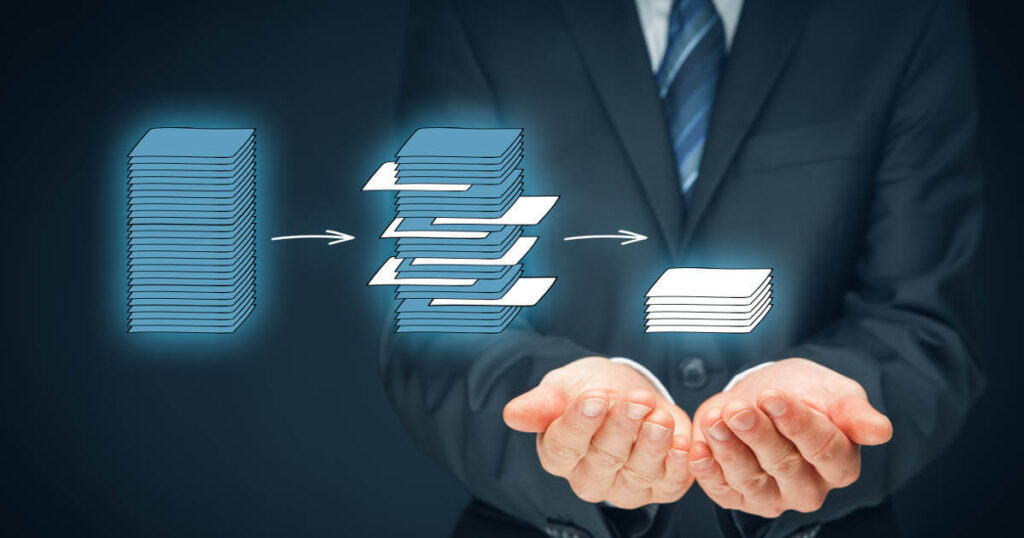
The Internet is a major source of free business leads. Sources of high-quality sales leads include online business directories like yellow pages, membership directories, MLS listings, Google Maps, and LinkedIn. But it takes a lot of time and effort. This blog post will teach you how data extraction software can help you generate sales leads faster.

What is the Essence of Data Extraction Software?

Remember that the internet has great lead generation resources. However, you must manually search those directories or websites for contacts. Then copy-paste them into an Excel spreadsheet or your CRM. It consumes your time and resources.

Say “Plumbers in Los Angeles, CA” in the yellow pages. It returns hundreds of results. You must copy-paste all contact information, including name, phone number, and mailing address. Do this for all contacts on a page, then move on to the next page and repeat the process. Imagine the time and effort required to manually extract data from hundreds of pages. Manual data entry is also prone to errors.

Having a dedicated resource is useless. It takes the same time as manually extracting data from various sources, and the risk of typos remains. It also adds to your bills.

Lead generation software that extracts data

Small businesses with limited resources cannot afford to spend hours on the internet generating leads. Data extraction software can help here. It speeds up lead generation.

Data extraction software quickly generates high-quality sales leads from various online sources.

Some of the most popular sources for high-quality leads are:

1. LinkedIn

Sales & marketing professionals are paying close attention to LinkedIn. It helps you search for leads and narrow down your results. You can search for leads by industry, title, location, company size, etc. LinkedIn Sales Navigator is a version designed for sales people. You can quickly find your targeted prospects on LinkedIn and extract data from it.

2. Yellow Pages Directories

It is one of the most popular online business directories. It gives businesses a lot of visibility, so they get listed in yellow pages directories. Yellow pages directories are certainly one of the best places to look for businesses of your choice. It helps you find new customers and grow your business. To generate leads, you must manually check the search results and copy-paste them into excel or CRM. Data extraction software automates the process.

3. Association Websites

These websites have targeted lead lists. This is the best source for building a targeted prospect list. You can build Lists can by extracting data from websites.

4. Google Maps

This is now one of the major lead sources. Google My Business and Google Maps are being listed. It gives businesses great exposure and it’s free. So sales and marketing teams use Google Maps to gather data and generate leads. Making data from Google Maps manually is difficult. Using data extraction tools from Google Maps to Excel is quick and easy.
Get More Facebook Comments (Without Using Engagement-Bait)

In short, Facebook allows you to promote your brand, communicate directly with your customers, personalize your company’s voice and stay relevant and top-of-mind with your target market. Increasingly, reaching your target audience on Facebook requires more than just creating a business page and posting regularly: you need to engage them.

According to a BuzzSumo and Buffer analysis of 43 million Facebook business page posts, engagement has dropped by over 50%. Changes to Facebook’s News Feed algorithm favor posts from friends and family over business pages have exacerbated the decline in engagement.

Likes, Comments, and Shares

Comments on your posts are the gold standard for increasing engagement on Facebook. Likes and shares show that people like your content enough to share it with others, but comments show real engagement.

If someone takes the time to leave a comment, it shows genuine interest in your content, which means Facebook will prioritize it in the News Feed.

For example, a post from a friend seeking advice, a friend seeking recommendations for a trip, or a news article or video prompting lots of discussion will be prioritized, according to Facebook News Feed Head Adam Moressi.

If you want more comments, Facebook advises against it. We will continue to degrade posts that use ‘engagement-bait’ to get people to comment, said Moressi.

Tips on how to get more Facebook comments without baiting

1. Use visuals

Except when a compelling story or a hot-button issue is involved, text-only posts rarely elicit reactions. According to a NewsWhip study tracking social media engagement, 86% of the most commented Facebook posts are videos and 14% are photos.

2. Seek genuine input

Authentic reasons for asking for comments, such as advice, recommendations, help, or tips, will not be penalized. It’s fine to ask customers for their best product usage tips or suggestions on how to improve your products or services.

3. Inquire

A question in a post is a great way to engage with your Facebook fans, but according to a HubSpot study, some questions work better than others. For example, posts with the words “should,” “would,” “which,” and “who” get the most comments, while posts with the words “why” and “how” get the least.

4. Post a photo and ask for captions

Pick a fun image and challenge your visitors to come up with the best caption.

5. Incite an emotional reaction

Likely causes strong emotional reactions in those who see them. Make your readers cry, laugh, or angry to increase engagement.

6. Write a business-related post

Fill-in-the-blank posts ask readers to complete a sentence. This not only encourages comments, but also gives you valuable information about your audience.

7. Create content that people want to talk about

Posts that are controversial, relate to current events, or are about a common topic tend to get the most comments. There’s always less volatile local news to post about, like favorite sports teams or regional events.

How to Create Landing Pages That Convert

By completing a transaction or collecting contact information, landing pages turn visitors into leads. A call to action on your website, a link in a marketing email, a social media post, or a PPC ad should lead to a specific website page with more information. That action could be buying a product, signing up for a free trial, downloading an ebook or asking for more information.

The more landing pages you have, the more chances you have to convert site visitors into leads. According to a Hubspot study, businesses with 31-40 landing pages generate 7 times more leads than those with 1-5 landing pages, and businesses with 40+ landing pages generate 12 times more leads. Here’s how to make a successful landing page.

1. Make the landing page the goal

No distractions or escape routes will help visitors stay focused and take the desired action. Remove the main navigation and all links except your call to action.

2. Keep your word

Make it clear what visitors get if they click. Without that expectation, or a catch, the visitor will be confused and unlikely to convert. Make sure the headline and content match the CTA that brought visitors to the landing page, and don’t bait and switch.

3. Verify load times

The conversion rate drops by 7% for every second your page takes to load. If your site is slow to load, Google PageSpeed Insights can help you improve it.

4. Use powerful messaging

Tell people why your product or service is great and how it will improve their lives. Adjectives like “innovative” and “industry-leading” aren’t specific enough.

5. Include a visual

A photo or video not only enhances the visual appeal of your landing page, but also increases engagement. Many people don’t read website content word for word, so an image can quickly convey your message.

6. Don’t overdo it

The best landing pages are simple and uncluttered. Keep it short, use lots of white space, and use legible fonts.

7. Choose one main CTA

The goal of a landing page is to get your visitor to do one thing, so make it easy for them to do it. Giving them more options risks distracting them from your main goal; landing pages with multiple offers generate 266 percent fewer leads than those with only one.

8. Value over features

Nobody cares about the technical details of your product or service; they only care about how they might benefit them. List your offer’s value points in bullet points and be specific about the benefits your target audience can expect.

9. Consider alternatives to “submit”

Many forms have a default “submit” button at the bottom, but that doesn’t entice people to click. Try “Send Me My Offer,” “Start My Free Trial,” or “Download My Free Ebook.”

10. Build trust

People may be hesitant to provide contact information on a landing page. You can reassure them by including a privacy message and using security seals if appropriate.

Want More Facebook Engagement? Try These 8 Tactics

Facebook launched in 2004 and now has 2.5 billion monthly active users and over 90 million Facebook business pages. Users and pages have grown, but engagement on Facebook business pages has been declining for years.

On Facebook, “engagement” includes comments, shares, likes, and other reactions. According to the 2019 Social Media Industry Benchmark Report, Facebook engagement decreased across all industries from 0.16 percent in 2018 to 0.09 percent in 2019.

A change in Facebook’s algorithm in 2018 began prioritizing content from friends and family and “demoting” brand-related content. People are less likely to see your content if you have a Facebook business page, and they can’t engage with content they don’t see.

Increasing user engagement is one way to increase Facebook post visibility. Posts with more engagement are more likely to appear in the Facebook newsfeed, increasing engagement and visibility. Seeing engagements on a post also encourages others to comment or react.

Try these strategies to increase engagement on your Facebook business page.

1. Get to know your audience

The best way to get people to interact with your Facebook posts is to know who they are, their demographics, their interests, when they are online, and what other sites they visit. The better you know your audience, the easier it will be to write for them.

2. Create great content that gets noticed

In order for your followers to engage with your content rather than just skim it and move on, your posts must make them feel something. Aim for posts that make readers smile, think, laugh, or cry—posts that evoke an emotional response.

3. Post at the right times

There is no “best” day or time to post on Facebook. A Buffer study found that posts made between 1-3 p.m. on Thursdays and Fridays get 18% more engagement than posts made on other days. Sunday is the best day for engagement, according to Buzzsumo, and posts between 9-11 p.m. are the most popular. Rather than posting at random times, track engagement over a few months and use Facebook Insights to find the most effective posting times for your company.

4. Review your most read posts

When one of your posts gets a lot of engagement, look closely at what made it work. Was it an image, GIF, or video? How old is it? Was there anything in particular that drew readers in? Was it funny, sad, or informative? Collect as much data as you can about successful posts and use it to test what works best to replicate it.

5. Making Facebook content mobile-friendly

Statistica estimates that by January 2020, 79% of Facebook users will only use a smartphone. With so many potential customers visiting your page via mobile, you need to make sure your posts are engaging and short.

6. Experiment with video

Video dominates Facebook engagement. BuzzSumo found that videos get 73% more engagement than photos on Facebook pages. Some videos are better than others. Facebook’s algorithm favors “native” videos rather than links to YouTube or a company website, and live videos get six times as many interactions and ten times as many comments as prerecorded videos.

7. Ask questions

According to BuzzSumo, questions get more engagement on Facebook than any other type of post except video. Post a thought-provoking or fill-in-the-blank question related to your brand and ask your followers to respond.

8. Make use of hashtag

Using one or two key hashtags strategically can help you increase engagement on your Facebook business page. Adding a trending hashtag to a relevant post can help it appear in hashtag searches and encourage readers to interact with it.

Supplyant Transforming the eCommerce Environment

Supplyant is changing the eCommerce landscape, and you may not know what it is. To explain the concept, we must first define some terms. Let us examine a few.

So, how does one alter the eCommerce landscape? First and foremost, the product or service is not your primary goal.

Yes, you want to gain that customer, but refusing to satisfy them is a sure way to lose them.

Simply put, people buy from those who provide the best service or product, and this does not just happen in your store.

Focus On Direct Sales

Assume you want to change the eCommerce environment. In that case, offering the product or service directly to customers is a great way to avoid the middleman.

This allows you to focus on selling directly to customers rather than trying to persuade them to buy. The concept of a middle man is problematic for both parties.

Unreliability and damage are major issues that will hinder brand loyalty. Dealing with customers directly helps you build faith and trust in your product and understand their needs and demands.

Manage Your Inventory Easily

A second advantage is inventory management. With suppliant, you can focus on providing great products and services to your customers.

With suppliant, you can manage your inventory to make the most of your resources without having to hold stock.

Improve Customer Experience

A better customer experience is one of supplyant’s main advantages. Utilisez email marketing to drive customers to your website.

You can also use a series of your own ads. These ads will appear automatically after a purchase.

Price Point Options for Your Clients

With Supplyant, you can give your customers price point options. Supplyant can help you offer customers the best price for your product or service. Set the price point and let supplyant do the rest.

Auto-billing

Supplyant can also calculate shipping charges on your customers’ credit card statements. Supplyant can set up auto-billing.

It can automate your billing processes once you know your prices and have set up your billing system.

So, how does one transform eCommerce? Supplyant can be integrated into a variety of websites. Using supplyant has several benefits:

As stated previously, the eCommerce environment is rapidly evolving, and so is supplyant. It’s hard to stay ahead of the competition. There are several approaches, but it is worth investigating.

Conclusion

Like Supplyant Northampton, you can still make a difference in the changing eCommerce environment. It is something you can do today. After all, if Supplyant can change the eCommerce landscape, so can you.

How to create an Add to calendar link for your event

We will make use of Google Calendar to publish an event and give your subscribers a link. Check the steps below:

  1. First, choose a date and a time range. In the window, give your event a title or click “More options.”
  2. Change your event’s privacy settings to public so you can share it and others can see it. After changing the event’s privacy settings, click “Save” at the top.
  3. The event description and configured reminders will be transferred together with your “Add to calendar” link or.ics file.
  4. Go to the event you created and select “Publish event” from the dropdown menu.
  5. You can either use a code or a link to allow users to add your event to their calendar.
  6. Save the event link somewhere for future reference. To add this link to an email template, click here.

How to create an .ics file for your event

You can also generate an.ics file. There are several ways to do this, including utilizing Google Calendar, one of the most popular calendar software, and iCal Event Maker, a free web tool.

With the Use of Google Calendar

  1. Exporting an .ics file from Google Calendar
  2. First, establish and manage your event’s settings. Create your event in a different calendar, as you’ll be exporting the entire calendar, with all events and settings, to a file.
  3. Locate your calendar in the left panel. For more possibilities, click the calendar’s name. Select “Settings and sharing” from the dropdown menu.
  4. Click “Export calendar” in the calendar settings. Upon clicking, a ZIP file containing the required.ics file will be saved.
  5. Not that your calendar has to be public, as you are only offering subscribers a copy of your calendar data.
  6. Create a new calendar with your event and download it. You merely need to discover the calendar menu items.

Creating an .ics file using iCal Event Maker

Select the event and click the “Generate iCal” button.

You’ll be taken to an.ics file page. You may also add more options here.

The best way to add a calendar event to an email

You may add links, buttons, or icons to your calendar events in email campaigns. We will talk about these features briefly

Text link: The simplest approach to add a calendar event to an email is to include a link. A bare URL can be excessively long and cluttered, and it can detract from the overall impression of your email.

Let’s make a link. First, we’ll create a text block with a calendar invitation. We’ll use a Google Calendar event link and an.ics file prepared using iCal Event Maker saved on Google Drive.

Button block: Buttons are the easiest way to add an event reminder to a subscriber’s calendar. Just construct numerous buttons instead of a text block.

To add many buttons in a row, select the “Add new section” option from the menu on the left. Drag and drop the required element into each blank column. It’s a button for us. Add button names and calendar event URLs.

Last but not least, edit the buttons to reflect your company identity.

Custom icons: You can develop custom icons for different calendars linking to your event links if you are skilled with HTML email coding. Just replace “Link to Google Calendar,” “Link to.ics file,” and “Link to Outlook Calendar” with your event links.

Let’s use this code in our drag and drop builder.

Open your email template. Drag a new “Text” element from the left side into the template. Click the element and select “Source code” from the “Variables” menu. In the opening window, paste the code with your calendar event URLs. That’s it! You’re ready.

Summing up the “Add to calendar” link for emails

Allowing clients to add events to their calendars is a terrific method to prevent attendees from forgetting about your event between the invitation and the event.

You can add calendar events to your email in two ways:

  1. Create an event in your online calendar, then send it to your subscribers through email. Creating event linkages for each calendar software is simple, but you can’t add a Google Calendar event to your Outlook Calendar, for example.
  2. Create an event and export it as an.ics file. This is a better technique because these files work with practically every service and program. But not all of your subscribers are familiar with this file type or how to import it into their calendars.

What you should know about Limited-Time Promotions

Emphasize the urgency

In all likelihood, everybody viewing your limited-time offer has already seen hundreds of advertisements in the last few hours. They could also be used in the business as standard advertisements for your brand. Therefore, it is your responsibility to convey the message that this deal will expire shortly. It is not a good idea to conceal the expiration date at the bottom. If you want to ensure that people understand the deal is only available for a limited time, consider employing a countdown timer.

Distribute your offer widely

Your deal will expire sooner rather than later, so act quickly! It is your responsibility to ensure that your enticing offer is seen by as many people as possible before it expires. To achieve the best results, utilize as many marketing channels as possible. Specifically, make advantage of email, targeted ads, site banners, chatbots, and SMS. Your objective is not to spam your audience; but, if your offer speaks for itself, your leads will be grateful to have seen it.

Remind your prospects of your offer

Because we are all procrastinators, it is entirely possible that you have reached the correct audience and they intend to make a purchase but put it off for various reasons. Normally, you could gradually persuade them through standard content marketing or abandoned cart reminders, but this is a time-sensitive situation that requires immediate action.

Assume you’re running a four-day limited-time promotion. On days one and two, you can contact a subscriber via as many channels as possible, but be sure to give them a reminder as your sale approaches its conclusion.

Never underestimate the persuasive power of an eleventh-hour email. It is now your responsibility to succumb to FOMO. If your prior communications underlined that this deal is only available for a limited time, this one should emphasize that the deal will expire in a matter of hours.

Take care not to overdo it

It’s a good idea to focus your limited-time offers around holidays, seasonal events, or times of the year when your product is most relevant. Having said that, if you are experiencing a poor quarter, a limited-time deal may provide the sales boost you require.

Make a generous offer

Make your offer compelling enough to warrant a potential customer’s time. While offering your goods at a discount may not be exciting if your profit margin is already low, market research from Zion & Zion reveals some encouraging news. When compared to a 5% discount, their analysis discovered that a 10% discount increased engagement by 47.7% and generated a higher ROI. While this may seem contradictory, the larger discount makes the deal more desirable, resulting in a higher volume of sales.

Naturally, your mileage may vary and this effect is limited in scope, but ensures that your offer is appealing enough to persuade consumers to convert.

Conclusion

Thus, we’ve discussed what it takes to develop a compelling limited-time offer. To summarize, keep in mind to:

  1. Keep the copy of your offer brief and succinct.
  2. Make it abundantly obvious that your offer is not permanent.
  3. Distribute your offer via every available medium.
  4. Remind leads about your offer before to its expiration.
  5. Avoid excessive reliance on limited-time offerings.
  6. Provide an enticing discount.

These six suggestions can help you create a limited-time offer that is certain to increase sales and delight your customers. A well-executed limited-time offer is a win-win situation.

Effective Lifecycle Email Marketing

In an ideal world, every email sent would contribute value to a company, such as by attracting new subscribers or facilitating extra transactions, or by converting users into brand ambassadors. It’s a noble objective to make all emails successful, but if a company doesn’t use customer lifecycle email marketing, it may be difficult to achieve.

Let’s define customer lifecycle and lifecycle email marketing before going into detail on the types of emails marketers should send at each stage.

What is the customer lifecycle?

Before, during, and after a purchase, the customer lifecycle defines all of the stages of a consumer’s interactions with a brand. It begins the moment a person learns about a brand and, well, if marketers are doing their jobs well, it doesn’t actually end with a single transaction. Repeat customers are created via a healthy customer lifetime.

The marketing lifecycle is divided into stages, which are defined by marketers. However, in order to gain a general knowledge of the phrase, we’ll focus on the stages below:

Awareness: A prospect learns about your brand, but that’s about it for now. When consumers hear the brand’s name, they’ll most likely remember anything familiar.

Consideration: A prospect believes your brand is deserving of their attention. They’ve probably joined your email list or followed your social media accounts to learn more about your business and products.

Purchase: A purchase is made at this stage, and your potential consumer becomes a genuine one.

Retention: This is the period when a company should not abandon a customer simply because they have money. This phase is all about strengthening the customer’s relationship and making them feel valued and appreciated.

Advocacy: The retention stage went off without a hitch. The customer is now your biggest supporter and cheerleader. They will not only continue to buy from you, but they will also tell their family, coworkers, and friends about your company. If an unfavorable review appears, activists are there on the scene to defend the brand’s reputation.

What is lifecycle email marketing?

Email is one of the most effective marketing tools a business can employ to communicate with its clients. Customers should be followed by lifecycle email campaigns from the very beginning of the funnel to the very end.

Customers receive relevant emails at every stage of their journey with lifecycle email campaigns. Depending on the customer’s current stage and the individual product or service you offer, these emails might be automated or sent manually.

Automated lifecycle emails

For the convenience of both marketers and recipients, here is a list of lifecycle emails that should be automated:

  • campaigns to welcome visitors;
  • campaigns for new hires;
  • special offers and coupons;
  • transactional and order confirmation emails;
  • emails about abandoned shopping carts;
  • marketing aimed at re-engaging customers.

Manually sent lifecycle emails

The following types of emails should be sent manually since they are situational or personalized:

  • promotions;
  • surveys;
  • a newsletter for marketing;
  • new product information;
  • chances for referrals

How to avoid common email coding mistakes

Using three-digit HEX color codes

Possibilities: The rendering of three-digit color formats varies amongst email applications. For example, in Gmail, #000 becomes #500050.

Prevention: Throughout the email, utilize the six-digit color format.

Attachments

Possibilities: They usually attach files to emails. Making a security risk by attaching something.

Prevention: Avoid sending files as attachments.

Here’s how to provide users access to the promised file. It should be a clickable chunk of text that explains what happens when the user taps the link.

Missing alt text

Possibilities: Your visitor cannot see some images. They won’t understand photographs without alt text.

Slow internet has the same effect. When an image download fails, the user can see words instead of the image.

Prevention: Assign alt attributes to all pictures. Correctly add it with an image alt=”text” tag. 125 characters for alt text (spaces included) Usually, a few exact phrases define the image.

The image’s alt text contains a call-to-action (CTA). The message is clear even without the image.

Image-only layout

Possibilities: Sending an email with only images has various drawbacks. Disregard for No-image emails if the receiver limits image downloads. If your email contains photographs, it may be cut. No one can search for your email by word.

Prevention: Emailing text and photographs is clever. Remember to include a plain-text version of the email and image alt text.

So, here’s an Ecwid Responsive design includes media queries like max-width: 570px. You’ll get an image and text in the email. Colors like #979797 or #4A4A4A are six-digit color codes. A lack of visuals makes the email tiny. The message contains no shortened links or redirects. Overall, this email meets most of the criteria.

The most common HTML email coding problems. Before sending your email, open it in three different email programs and check it on numerous devices. Emulators will help.

One more way to avoid email coding mistakes

One thing is certain: not coding produces no HTML errors. SentPulse provides no-code email design and many other platforms.

The simple drag-and-drop editor o these platforms will spare you email coding mistakes. Brand your email’s typefaces, colors, and social networking links.

Checklist for avoiding common HTML email coding mistakes

You can check some less common HTML email code problems below. Follow these rules to avoid email delivery and display troubles.

Your emails should be text-only.

  • JavaScript, ActiveX, Flash, etc. Put your movie or music on a website and link to it.
  • Avoid redirects to save time.
  • Rather than shortening links, create them in HTML.

Please verify your sending provider’s and subscriber’s restrictions

Try Arial, Comic Sans MS, Courier New, TNR or Verdana.

  • Limit the use of colors to two per email.

It’s better not to copy text or visuals from websites or word processors

  • Six-digit color format
  • Rather than files, link to a file loading page.
  • Remember to give images alt text.
  • Always incorporate text with photos.
  • Always send test emails. You are advise to send to at least three email clients and devices.

5 design tips for your Mother’s Day campaign

How can you create a Mother’s Day email template and other Mother’s Day-related content that isn’t overly cheesy or predictable? Here are a few suggestions to help you create an effective and tasteful Mother’s Day marketing campaign.

Utilize authentic photos

There is a lovely tradition of printing Christmas cards with personal photographs — you can use the same approach to customize your Mother’s Day email by speaking a little about the mothers in your team and sharing their happy photos or tales. Adorable? Without a doubt. Absolutely relatable.

Include some atmospheric pastel colors

Create a more intimate, emotional vibe for your Mother’s Day email campaign. Make an attempt to convey a sense of home, relaxation, quality time spent together, fond recollections, or family holidays. It is not required, but it is a certain approach to elicit certain feelings and get your customers in the buying mood.

Go for bold design

If you want your brand to stand out from the crowd, deliberately break traditional boundaries. Then adhere to your personal style. You may include a reference to Mother’s Day in your title. But avoid utilizing any traditional ornamental components – your dedicated clients will enjoy your unique and refreshing approach.

Utilize stylish, high-resolution product images.

You will not regret investing in a special Mother’s Day product photoshoot. It will allow your audience to view your offering in a new light, both literally and metaphorically. If you maintain a consistent aesthetic design, even the most disparate products will become desired gifts.

Demonstrate your product in action

It’s one thing to see a photo of a product with a sterile white background; it’s quite another to see that product in real life, with natural light. You can cooperate with mom influencers and make use of their images. The name of an influencer will do the rest in terms of drawing attention to your Mother’s Day promotion. If you lack the cash for that, have your in-house staff capture those real-world images.

15 Mother’s Day email subject lines

Bear in mind that your subject line and preview text should be complimentary. Allow us to provide you with some suggestions for crafting Mother’s Day subject lines.

You can opt for something more emotional and remind your readers of the holiday’s significance:

  • Encourage her to grin! Now is the time to begin shopping for Mother’s Day gifts.
  • She’s going to adore it! Locate a present for your mother
  • Demonstrate your affection by spoiling your mother on Mother’s Day.
  • Send a wonderful present to your mother!
  • Today is her birthday! Give your mother something she deserves.

Typically, marketers use the urgency card to entice their target audience. This is for taking advantage of a fantastic deal before it expires. Mother’s Day is no different:

  • Don’t forget to get her a Mother’s Day gift on time!
  • Only one day remain to order a Mother’s Day present in advance
  • Mother’s Day is rapidly approaching. Are you adequately prepared?
  • Don’t make her wait – get your mother a gift immediately.
  • Mother’s Day is almost approaching! Consider our sale.

You can give some ideas and assure your subscribers that you will alleviate their stress. You can do this by assisting them in selecting the appropriate gift:

  • Are you prepared for Mother’s Day? Take advantage of our greatest gift ideas!
  • Stuck for Mother’s Day gift ideas? We’ve got your back.
  • Would you like to surprise your mother? Consult our gift guide.
  • Still haven’t purchased a Mother’s Day gift? Allow us to assist you.
  • We are aware of her desires! The ideal Mother’s Day presents are available here.